Plexo Checkout Rules
Show each buyer the right payment and delivery options, and stop orders you cannot fulfil.
Plexo Checkout Rules puts payment, delivery and checkout validation rules in one app. Rules run inside Shopify checkout through Shopify Functions: there is no script on your storefront and nothing to add to your theme.
Coming soon to the Shopify App Store
What it does
Made for Shopify stores that need different payment or delivery options for different buyers, countries or carts, or that must stop orders they cannot fulfil before payment.
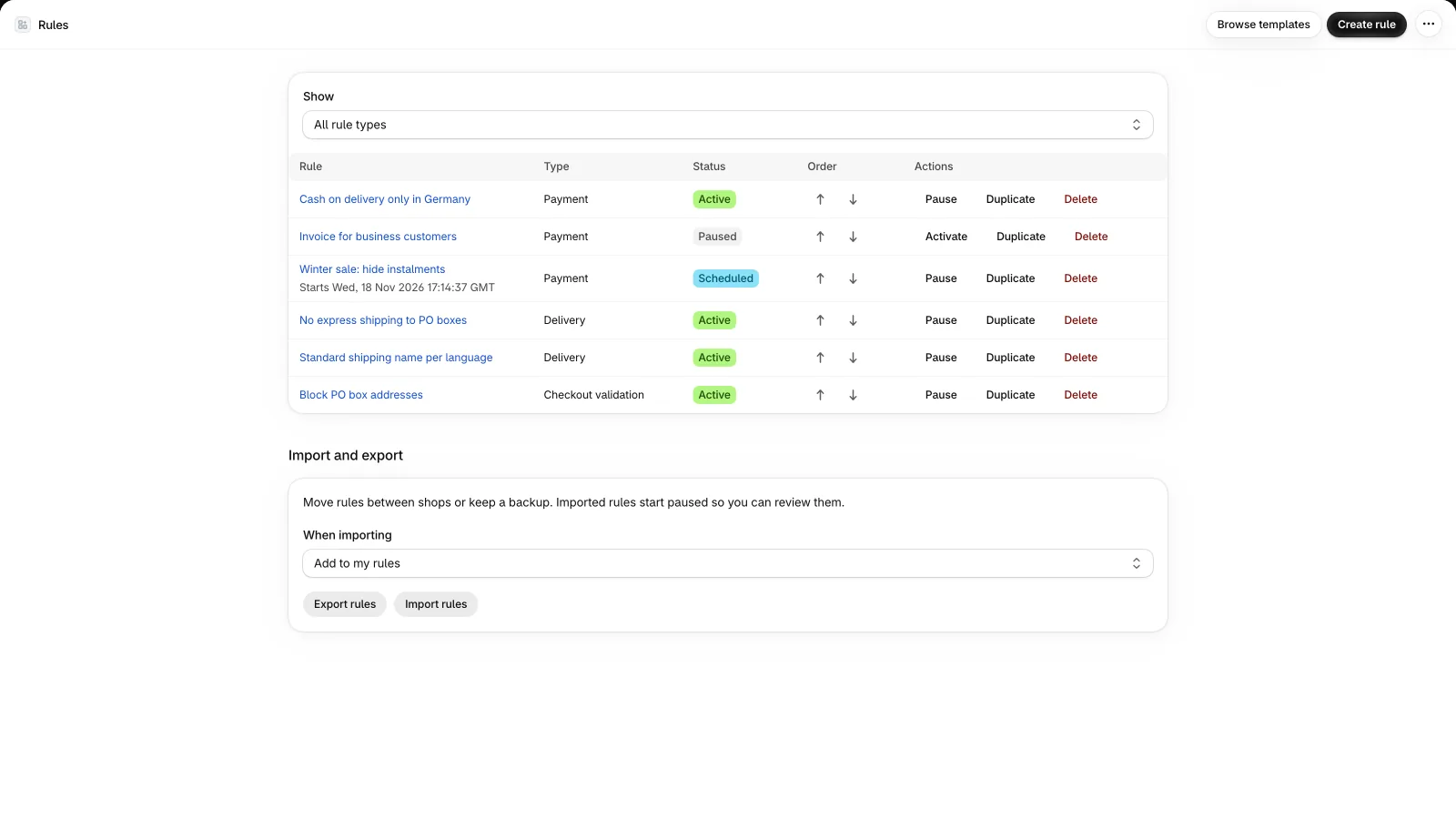
Payment rules
Hide a payment method, rename it in each store language, or change the order. Hide a wallet completely, or on Shopify Plus only its express checkout buttons.
Delivery rules
Hide, rename or sort delivery options, for example no express shipping to PO boxes or for heavy carts.
Checkout validation
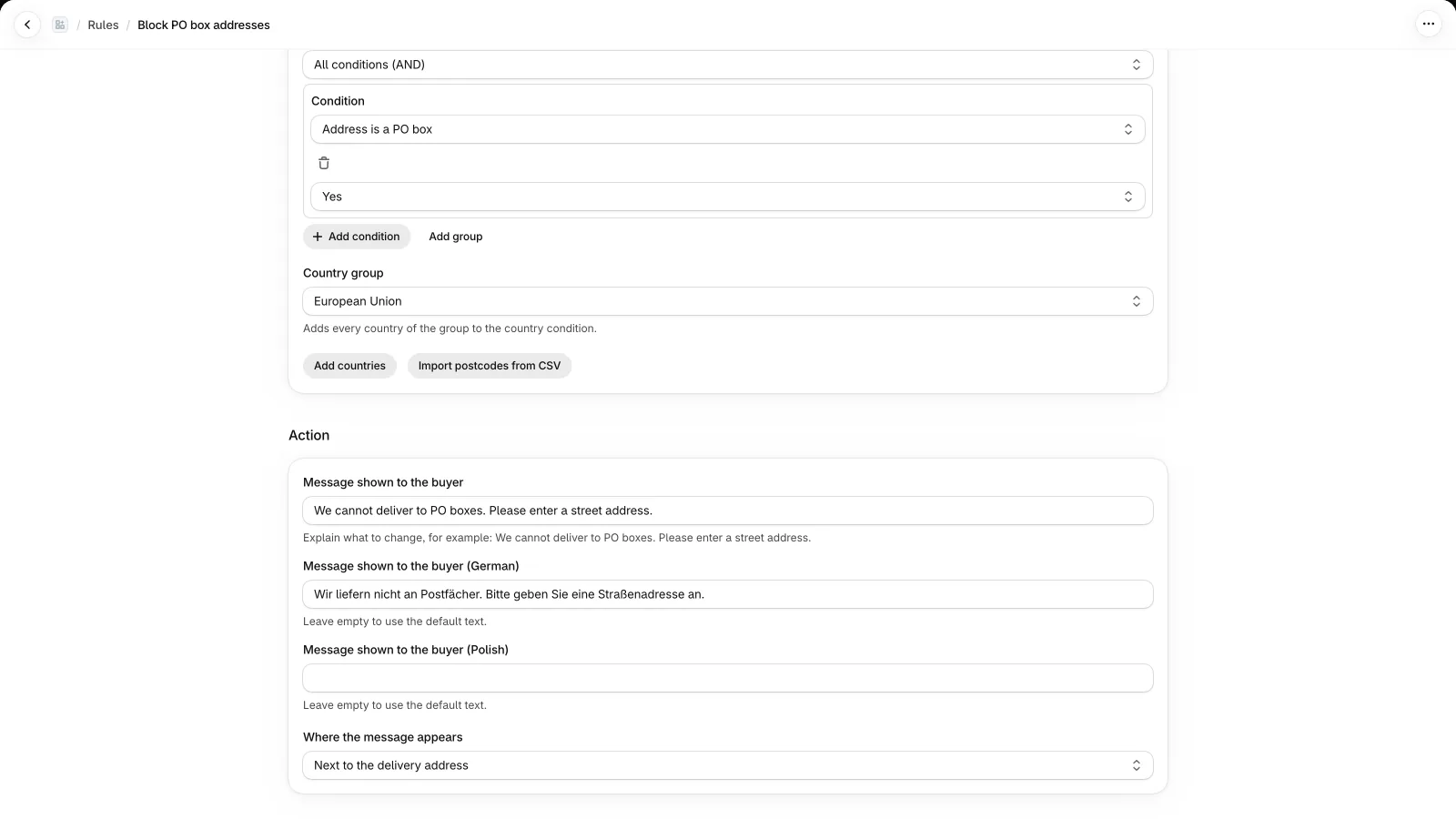
Stop checkout with your own message in each language, for example for PO box addresses, a minimum B2B order or a product combination you cannot ship.
Conditions
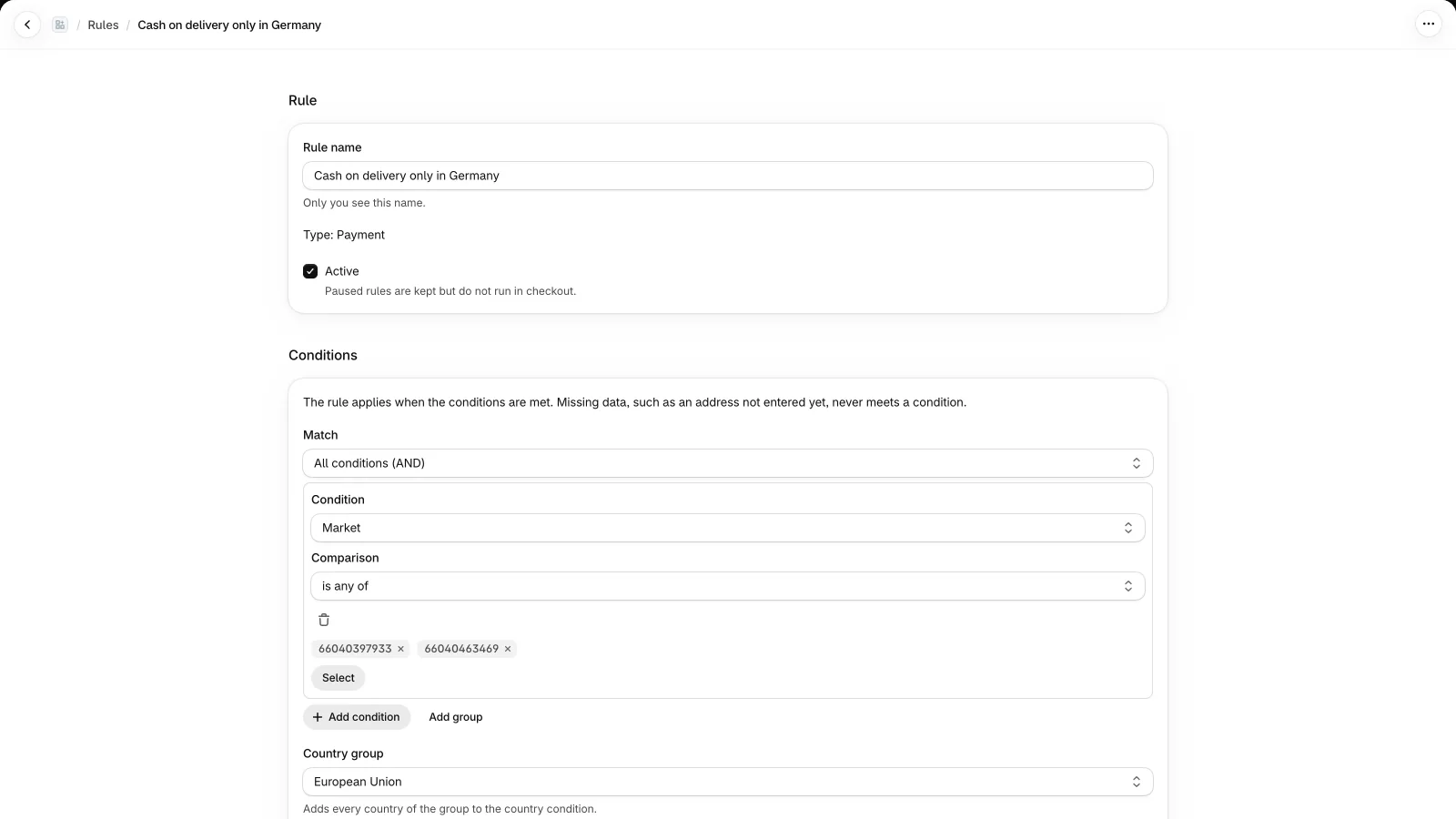
Country and country groups, province, city, postcode (lists, ranges, patterns, CSV import), PO boxes, cart value, weight and quantity, products, variants, collections, product tags, SKUs and vendors, customer tags, logged-in or guest, order count and amount spent, B2B company and location, market, language and currency, the selected delivery option, weekday and time, cart attributes, subscriptions and applied discounts. Combine them with "all" and "any" groups.
Preview
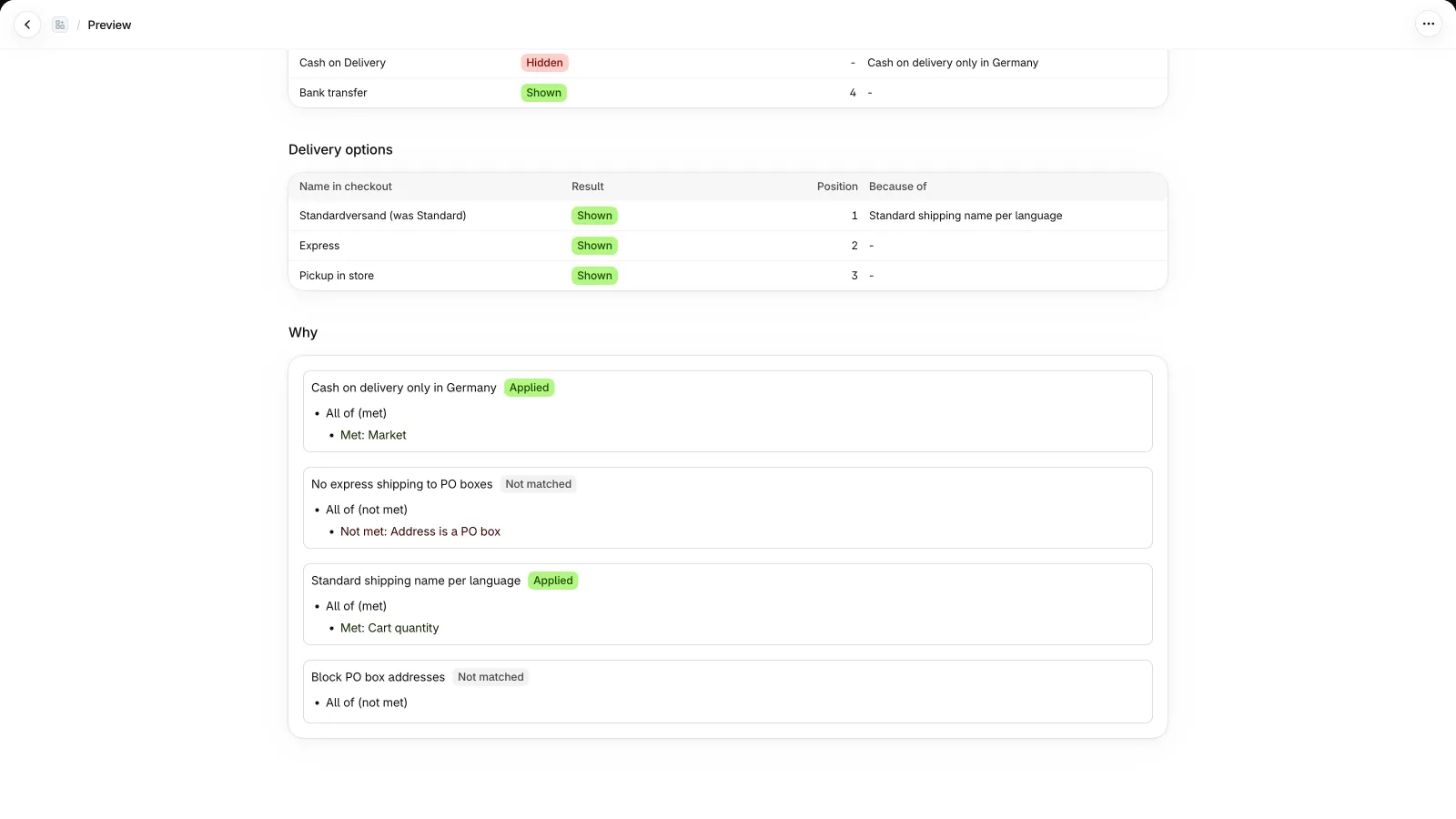
Build a test cart and see which methods checkout would show, in which order, and which rule changed what.
Templates, schedules and import
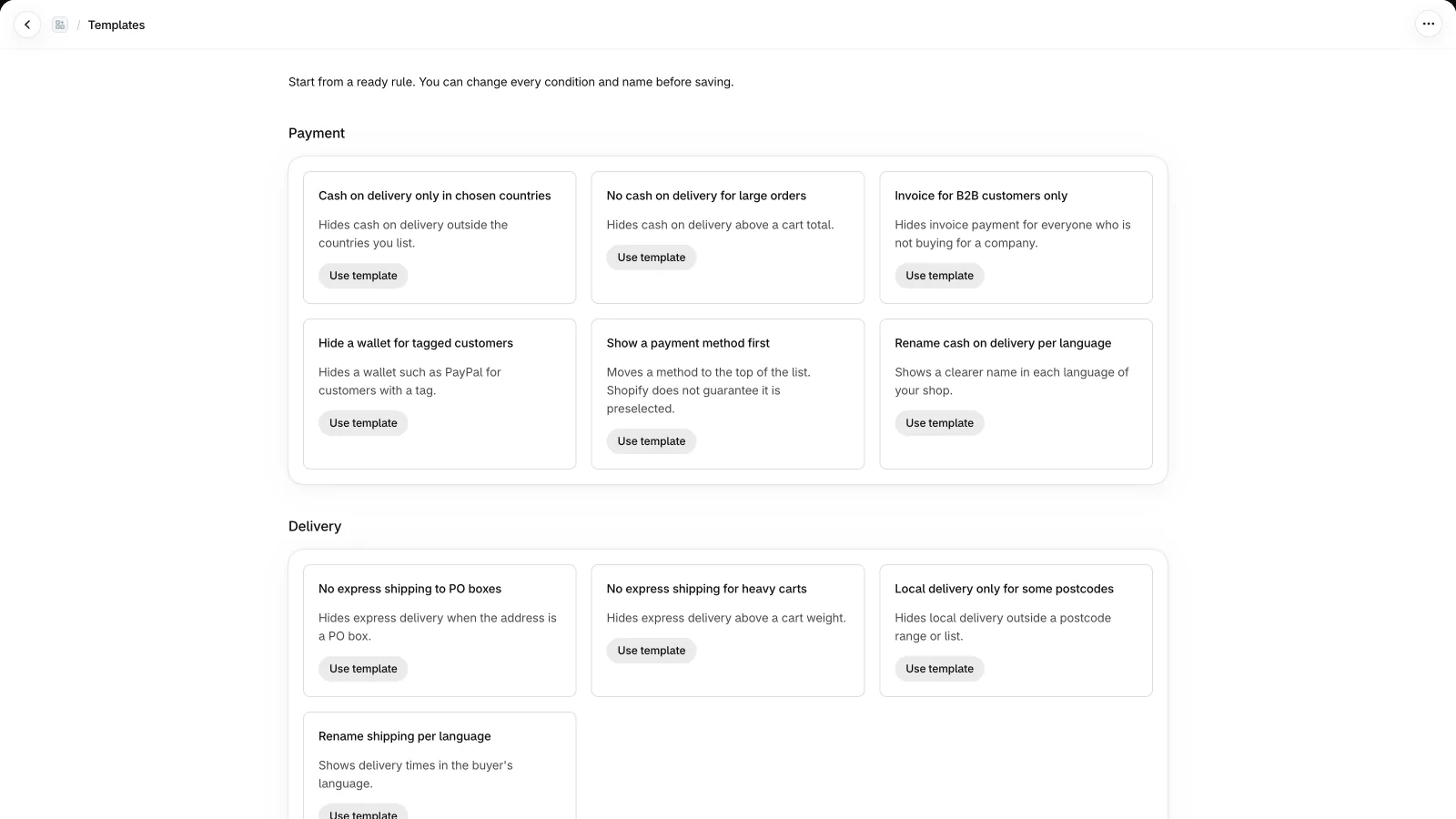
Start from a template, let a rule run between two dates, pause it, and move rules between shops as JSON.
See it in the app
Real screens from Plexo Checkout Rules on a development store. Select a screen to enlarge it.
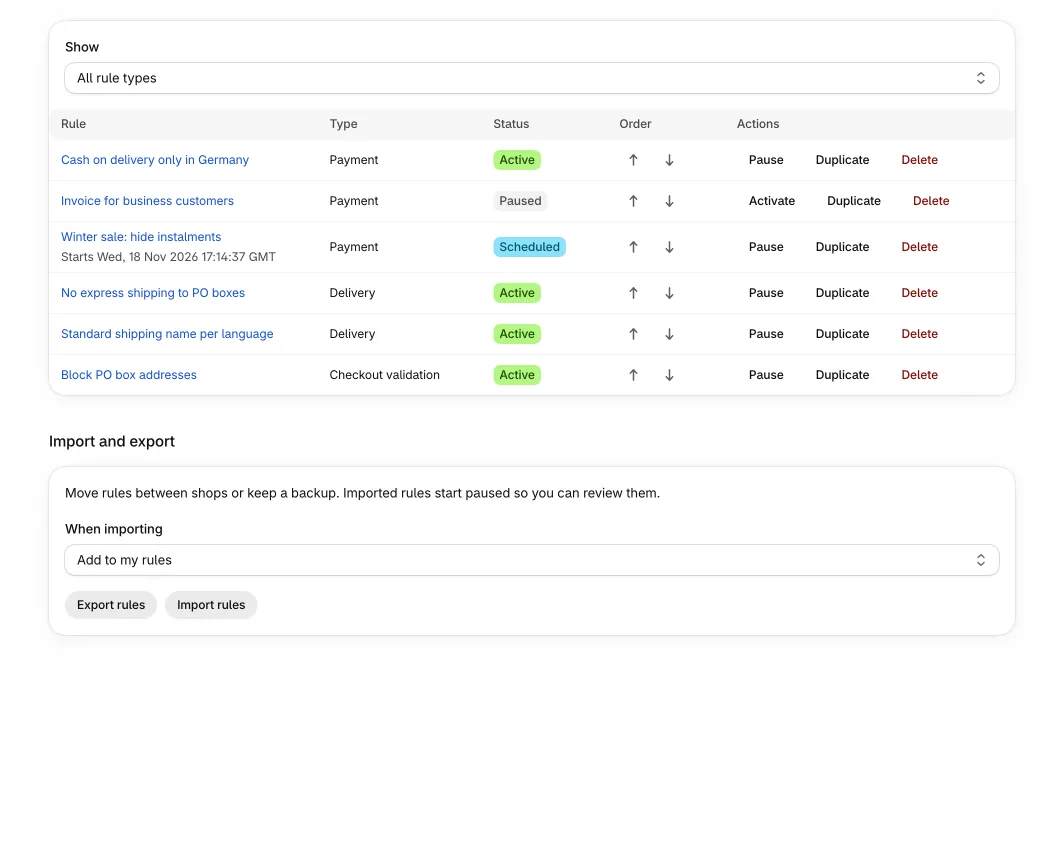
Payment, delivery and validation rules in one list 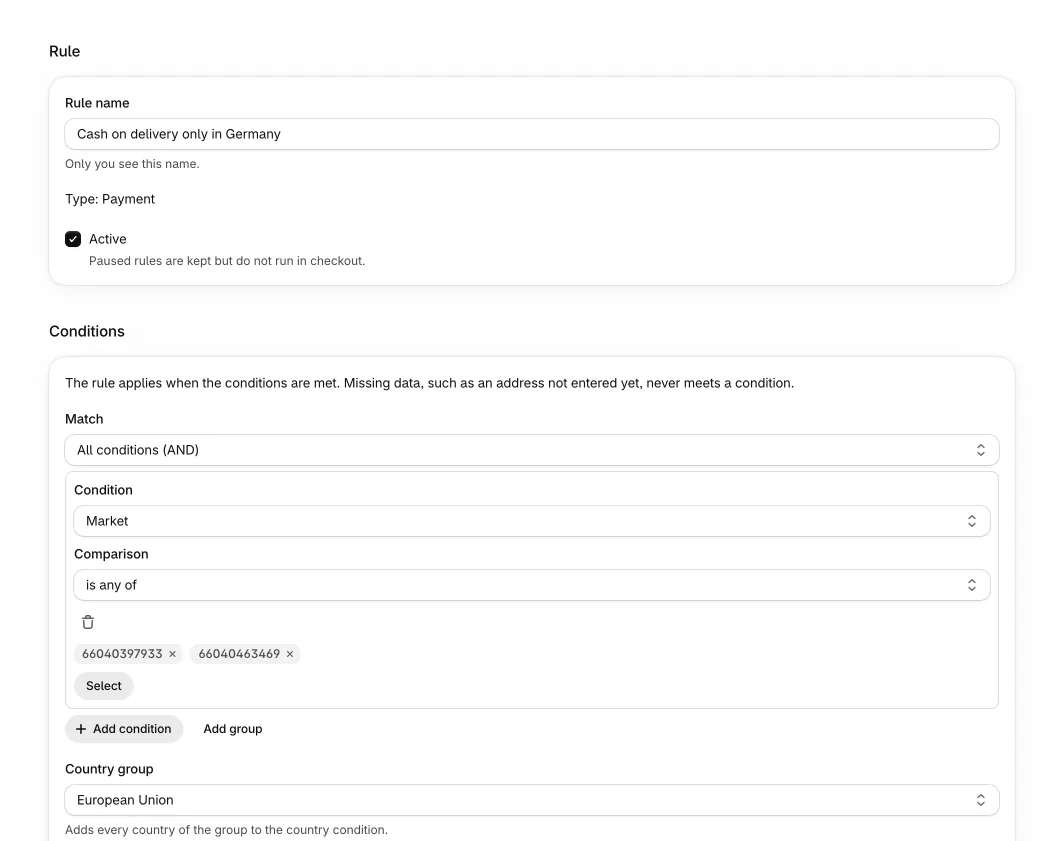
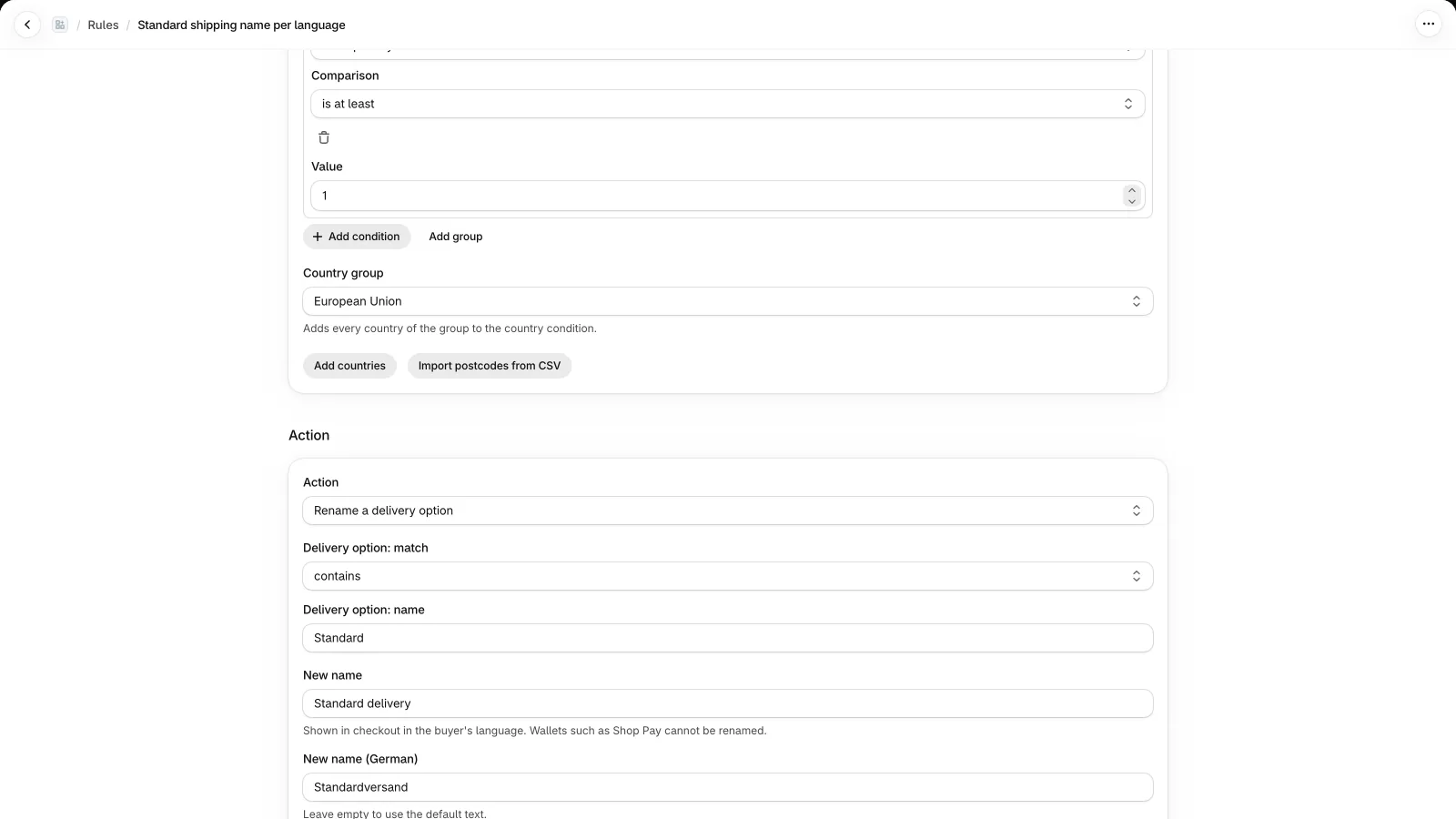
Combine conditions with all and any groups 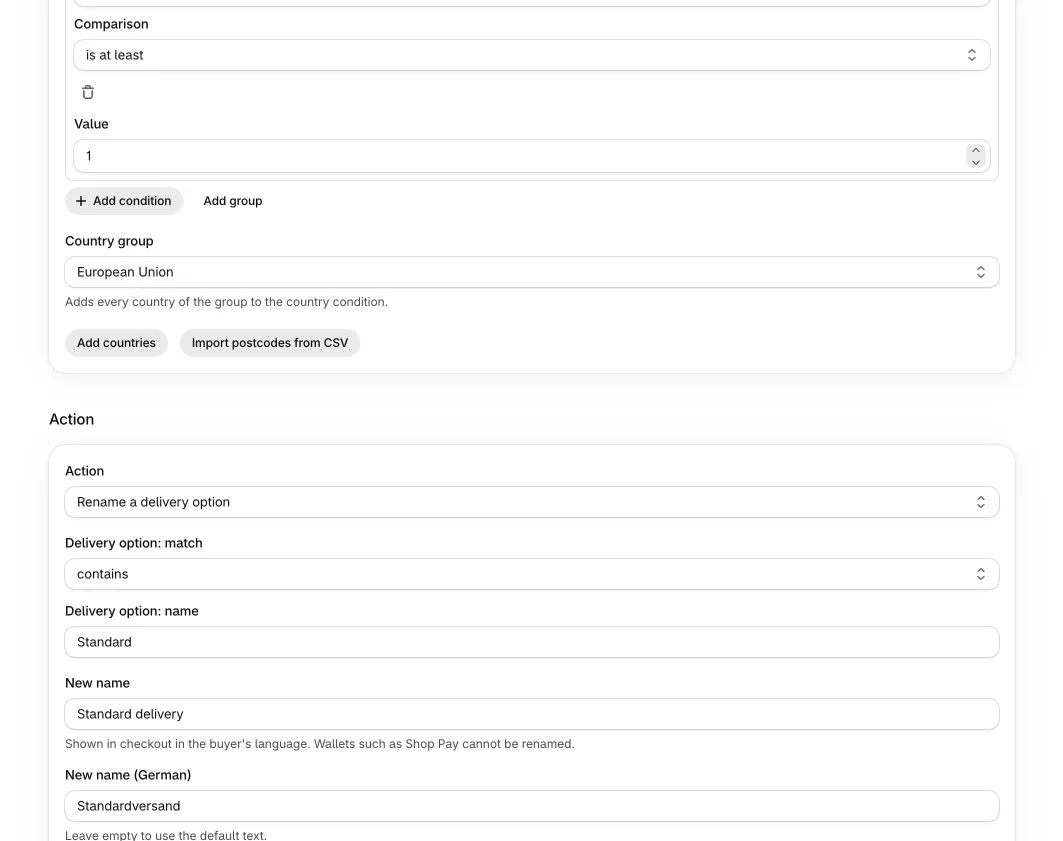
Rename a method in each store language 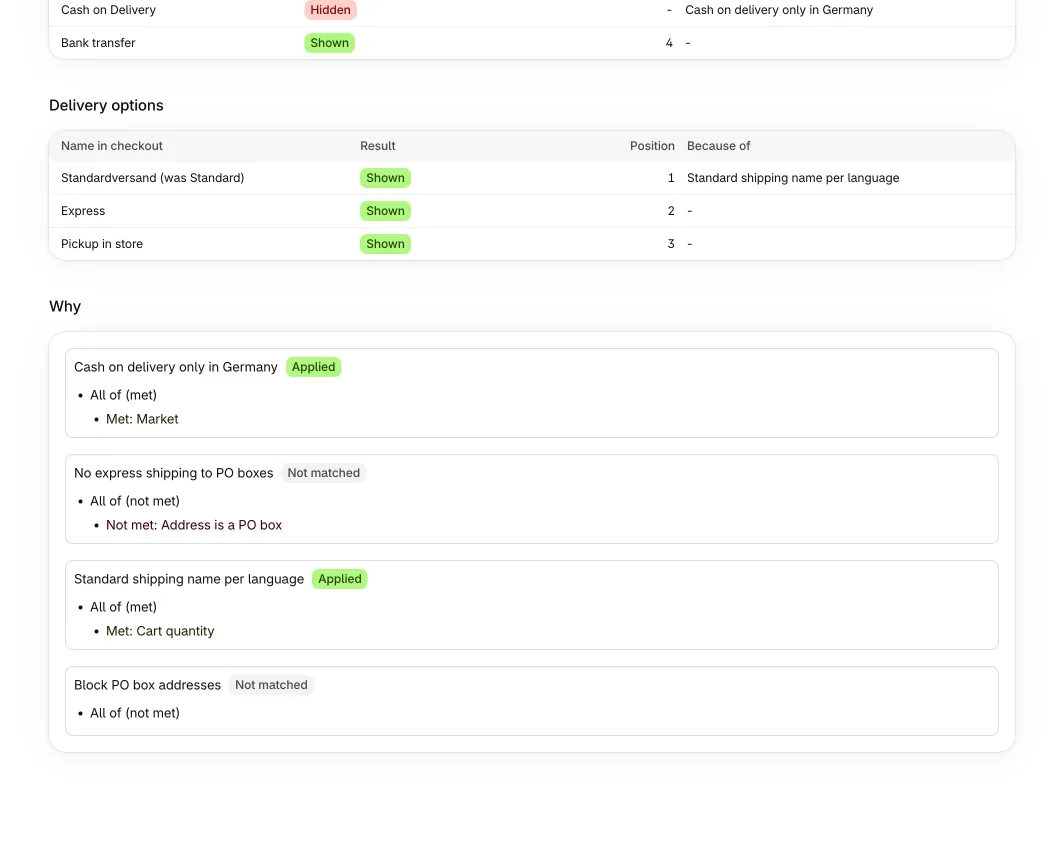
See what checkout shows and why before it goes live 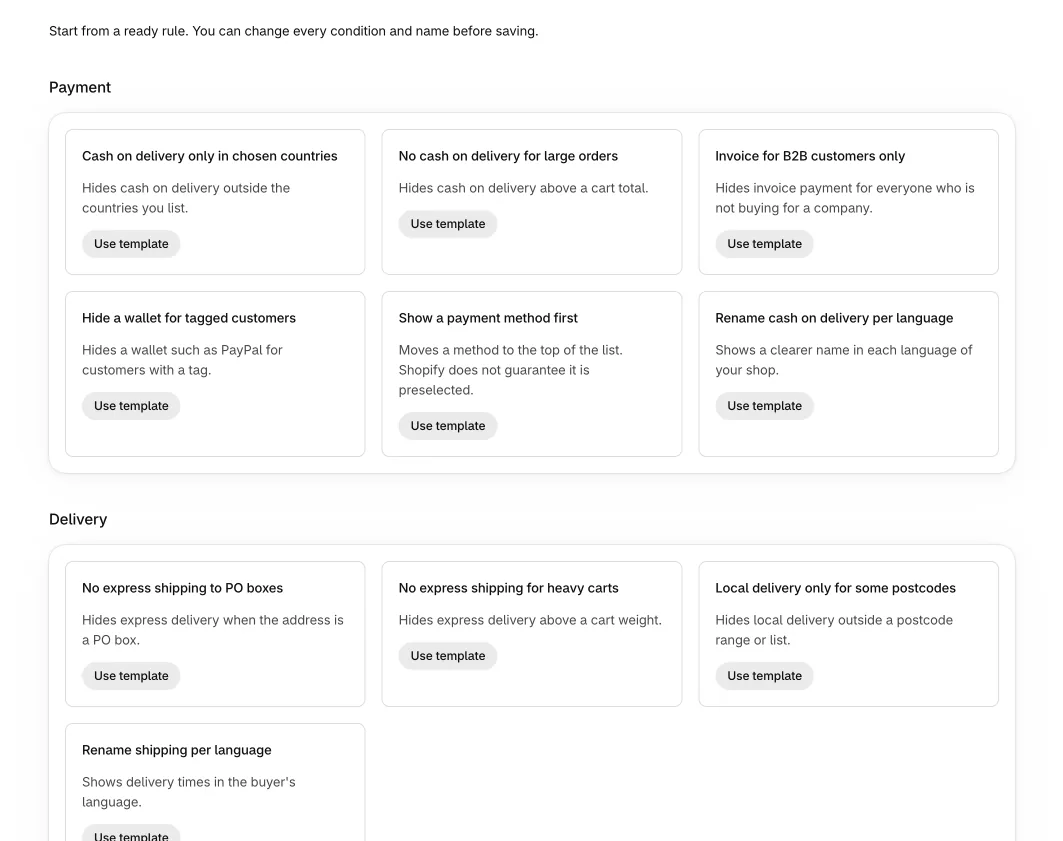
Start from a template and adjust it 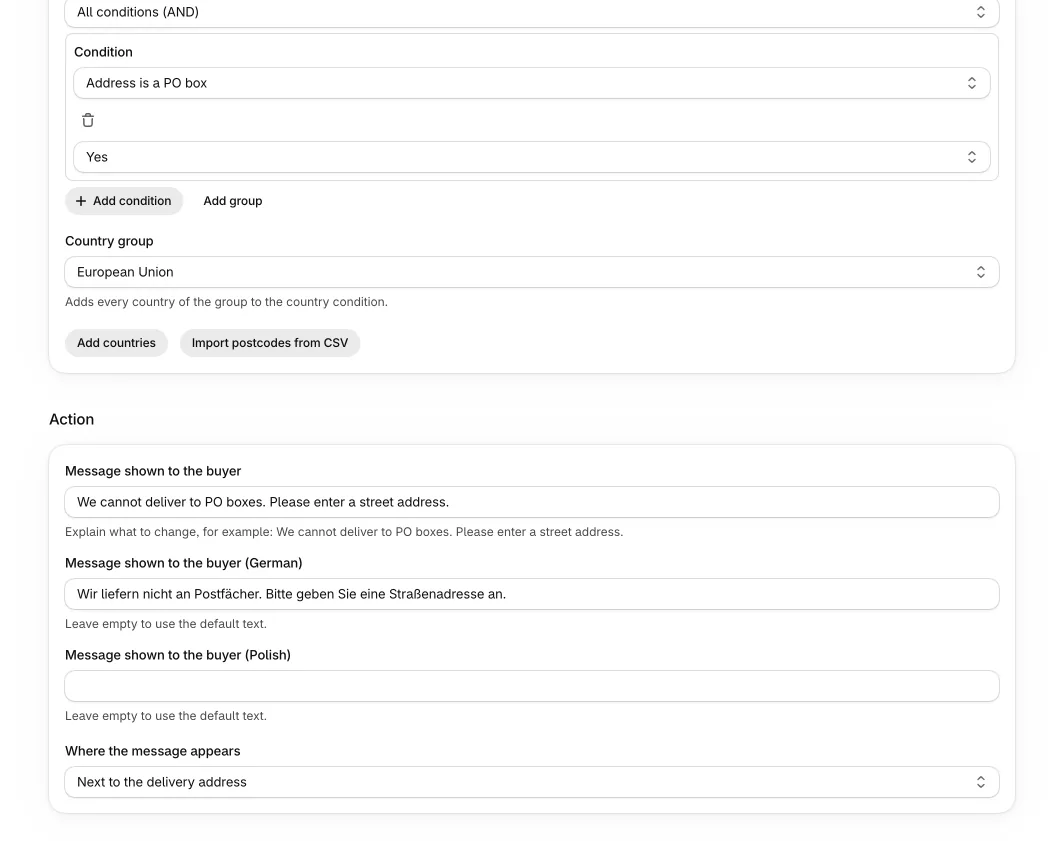
Block checkout with a clear message
How it works
Pick a rule or a template
Choose payment, delivery or checkout validation, or start from a template.
Set the conditions
Combine country, cart, product, customer and market conditions in "all" and "any" groups.
Preview, then turn it on
Check a test cart in the preview, activate the rule, and checkout applies it through Shopify Functions.
Built to keep checkout working
- The last payment method and the last delivery option are never hidden.
- A rule that cannot be read changes nothing.
- The cheapest shipping option stays first when you sort delivery options.
- Address conditions are not met while an express wallet has shared only the country, so a wallet buyer does not lose methods by mistake.
Platform limits
- In the United States and Canada, card payments can only be hidden, renamed or sorted on Shopify Plus. Hiding express checkout buttons only works on Shopify Plus.
- Payment rules do not apply inside Shop Pay express checkout, and payment and validation rules do not run in Shopify POS. Validation rules do not run for subscription renewals.
- Shopify allows a limited number of active functions of each type per shop; the app tells you if other apps have used them all.
Plans
Prices in US dollars. Shopify bills for the app on your Shopify invoice; you can change or cancel the plan in the app.
-
Free
0 USD a month
No charge
- 2 active rules of any type
- All basic conditions
- Preview
-
Starter
4.99 USD a month
or 49.90 USD a year
14-day free trial
- Unlimited rules
- Templates
- Schedules
-
Pro Popular
9.99 USD a month
or 99.90 USD a year
14-day free trial
- Everything in Starter
- Market, language and currency conditions
- Names per language
- Checkout validation
- Activity log
- Import and export
-
Plus
19.99 USD a month
or 199.90 USD a year
14-day free trial
- Everything in Pro
- B2B conditions
- Priority support
FAQ
Which methods can a rule change?
Payment methods and delivery options: hide them, rename them or change their order. Checkout validation rules stop checkout with your own message.
Can I rename Shop Pay, Apple Pay or Google Pay?
No. Shopify does not allow renaming or sorting wallets. You can hide a wallet completely, and on Shopify Plus hide only the express checkout buttons.
What happens if my rules would hide every method?
Checkout keeps all methods, so a buyer can always pay and choose delivery. The preview warns you when this would happen.
What if a rule is broken or a function fails?
A rule that cannot be read changes nothing, and checkout carries on as if the app were not installed.
Can a validation rule enforce a legal restriction?
A validation rule blocks checkout on the conditions you set, for example an address or a product combination. Whether a restriction is required for your shop depends on local law: this is mechanics, not legal advice.
Does the app read customer data?
No. Rules receive checkout details from Shopify while a function runs; the app itself stores only your rules and settings.
What happens when I uninstall?
Shopify removes the app's checkout customizations straight away. Your rules and settings are deleted when Shopify asks the app to remove shop data.
Support and documents
Write to [email protected]. Plans and prices are shown on the app's Shopify App Store page.
- Checkout Rules documentation: setup, every feature, troubleshooting.
- Privacy policy: what the app stores and for how long.
- How to contact support and what to include.
Try Plexo Checkout Rules
Hide, rename and sort payment and delivery methods in Shopify checkout, and block orders you cannot fulfil, with a preview that explains every rule.