Plexo Dates
Let customers pick delivery and pickup dates you can keep.
Customers choose a date and a time slot in the cart, the cart drawer or on the product page. Plexo Dates works out which dates are possible from your cut-off times, lead times, working days, public holidays and the transit time to the customer's country, and makes sure a day never takes more orders than you set.
Coming soon to the Shopify App Store
What it does
Made for Shopify stores that deliver on set days, offer store pickup or local delivery, or make products to order and need to cap how many orders a day takes.
Four methods in one picker
Delivery date, dispatch day, store pickup (with curbside) and local delivery by postcode.
Your rules, in your time zone
Cut-off per weekday, lead times in minutes, hours or days, a booking horizon, working days, blackout dates and blocked slots, opening hours per location.
Public holidays built in
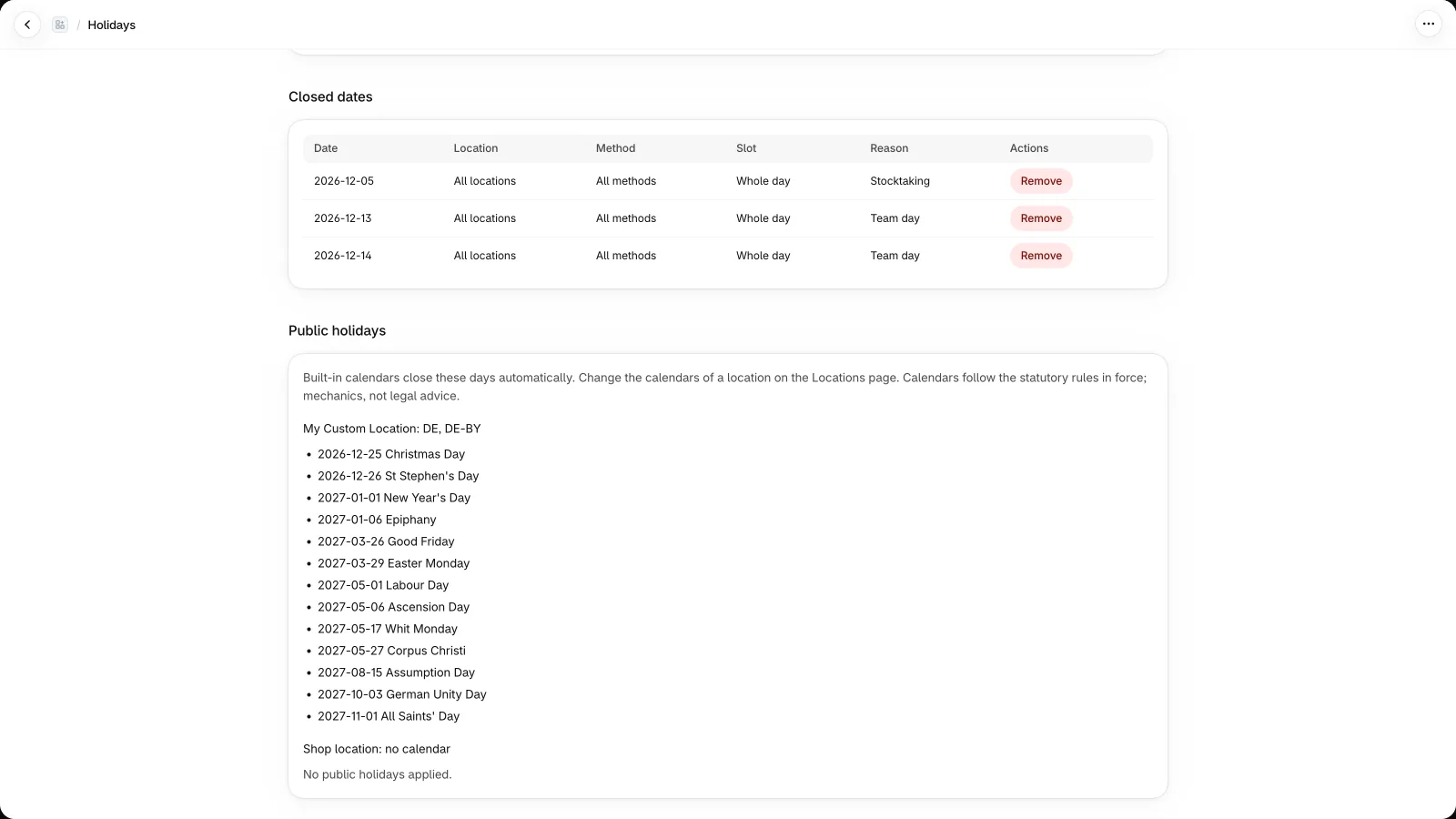
Calendars for EU countries, the UK, the US and the German states.
Limits that hold
Daily and per-slot limits. A chosen slot is held for 15 minutes, so two customers cannot take the last place at once.
Weekend-safe dispatch
For perishable goods: parcels are not sent if they would sit in transit over a weekend or a holiday.
Product rules
Own lead time, allowed methods, blocked weekdays and a daily quantity for products, collections or tags.
The date follows the order
Order attributes, tags and metafields, the Thank you and Order status pages, a block on the admin order page, and a snippet for notification emails.
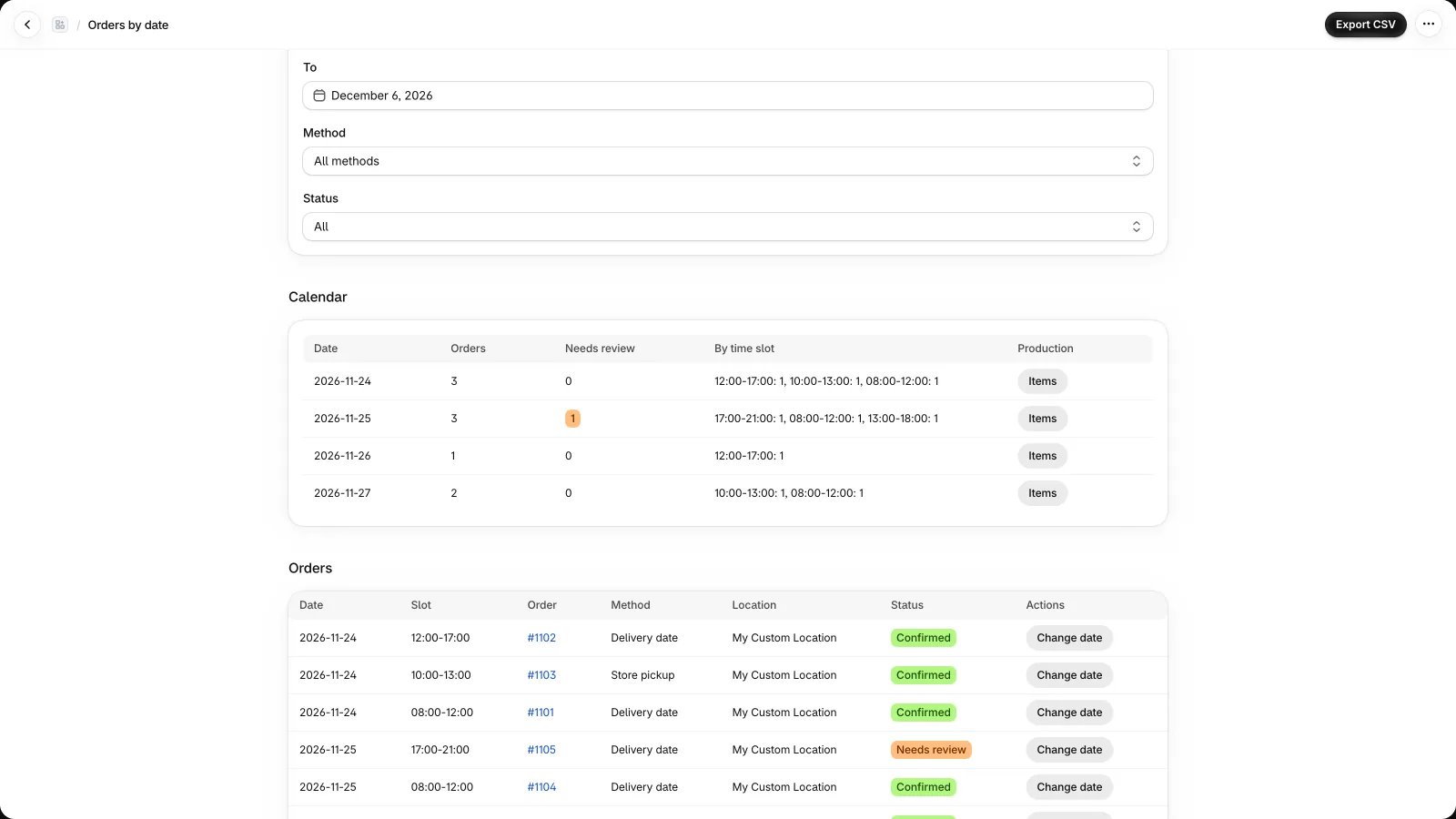
Orders by date
A dispatch view, a production list and CSV export.
Customers can change their date
from the order status page, within the limits you set.
Never in the way of a sale
If our server cannot be reached, the picker shows the nearest date from the last known rules or hides itself, and the date is not required.
Widget languages: English, German, French, Spanish, Italian, Dutch and Polish, plus your own texts. Works with Online Store 2.0 themes through an app block and an app embed; no theme code is edited.
See it in the app
Real screens from Plexo Dates on a development store. Select a screen to enlarge it.
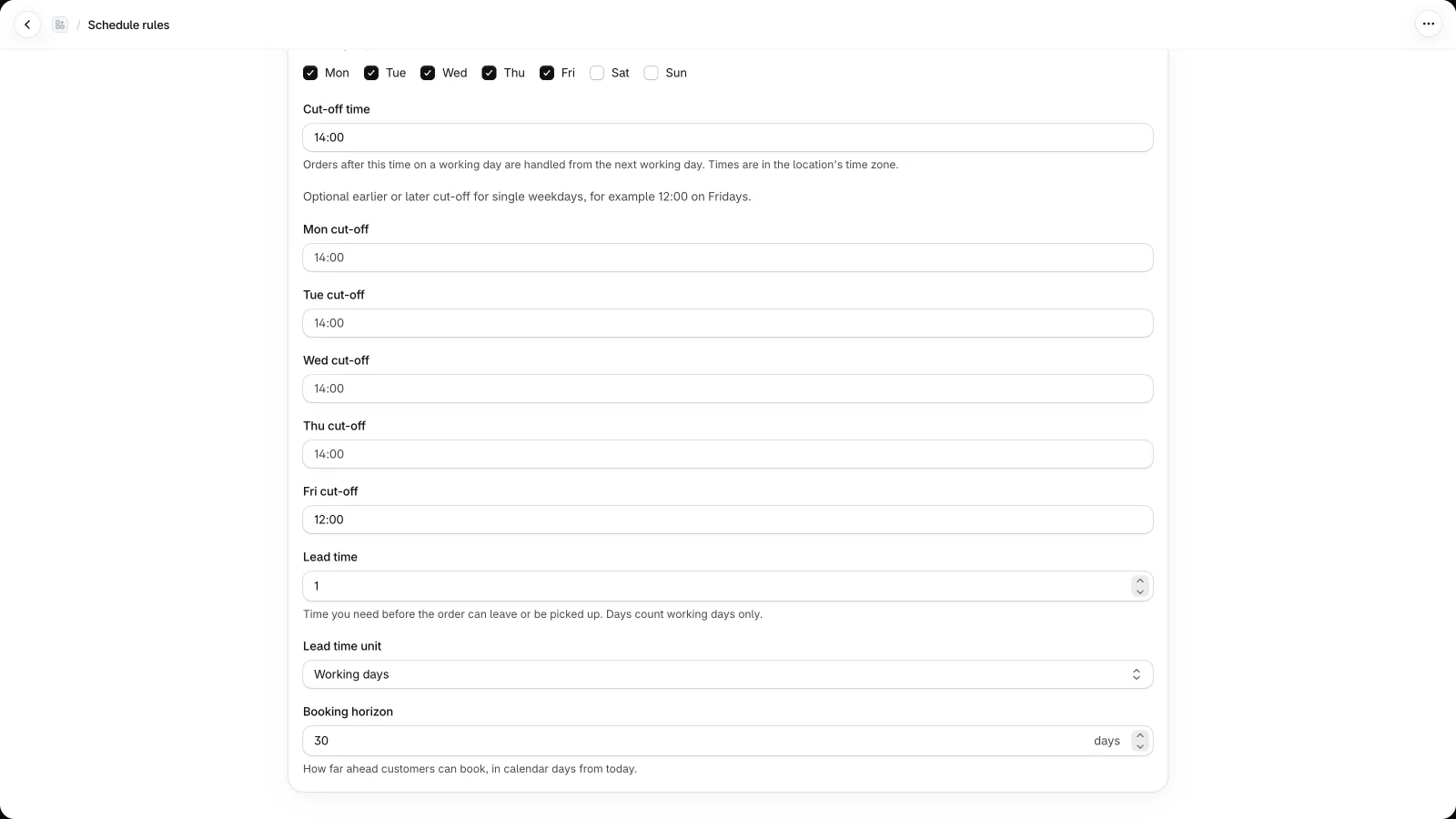
Your cut-offs, lead times and slot limits 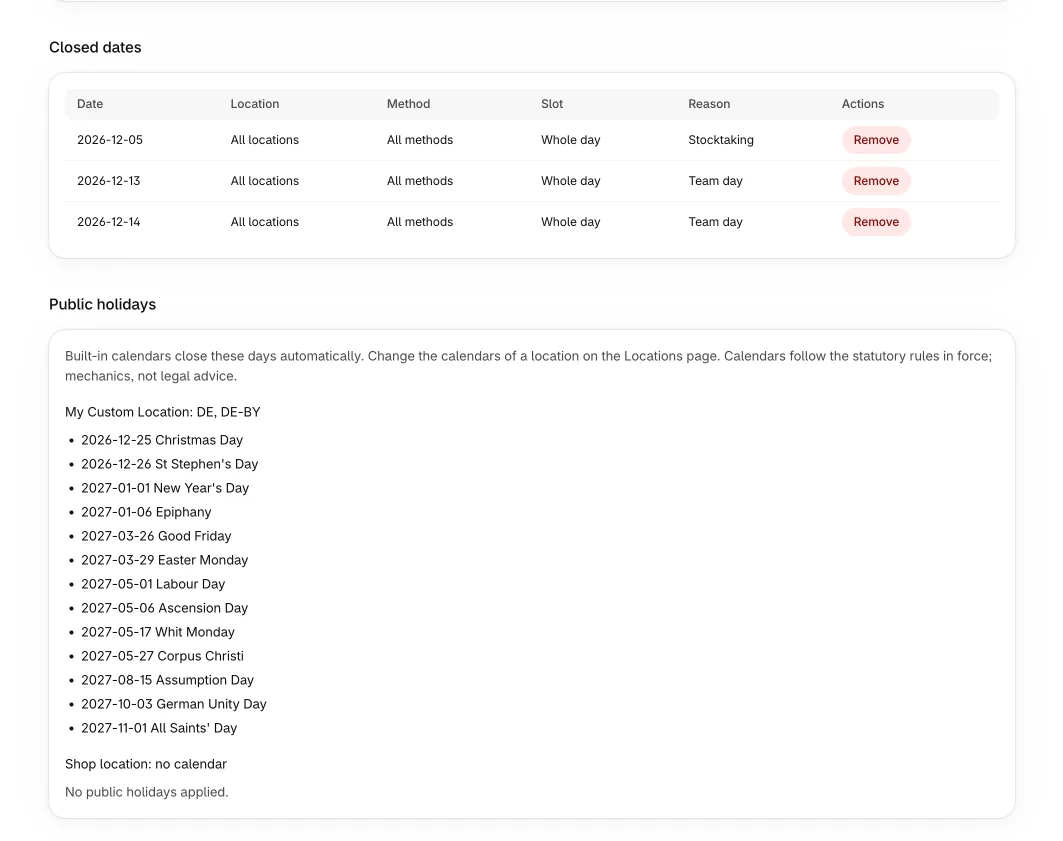
Public holidays handled for you 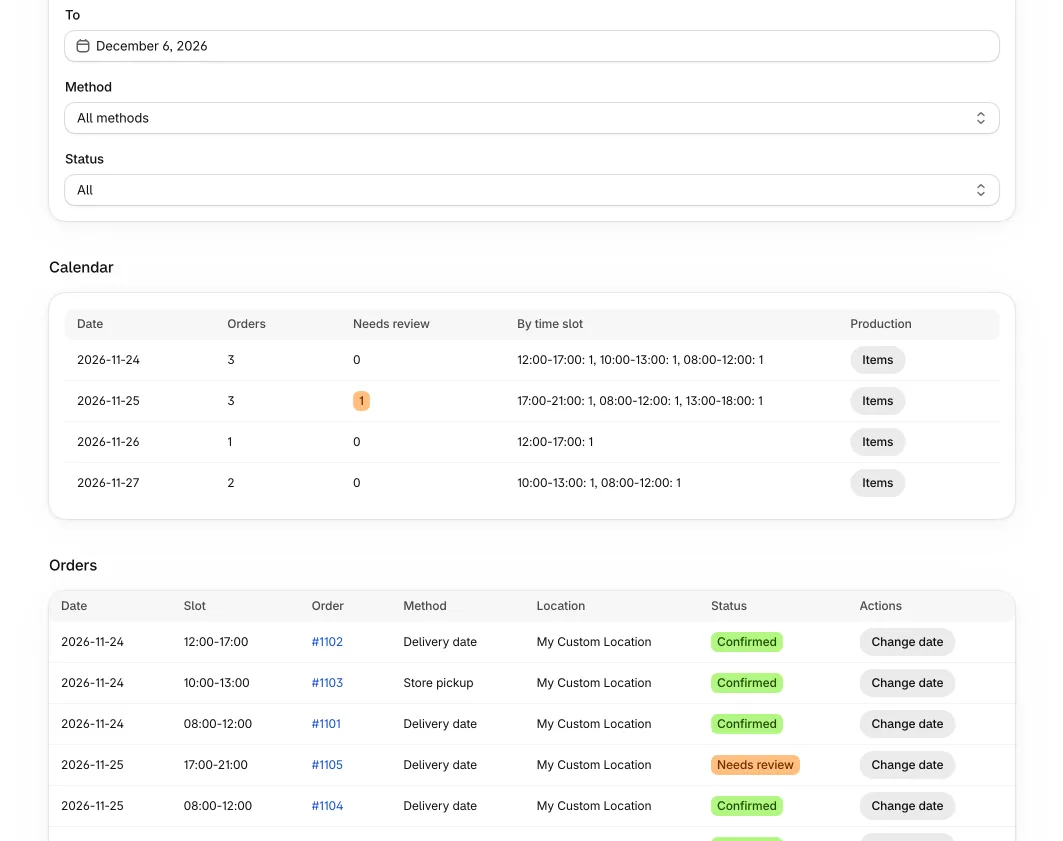
See what to make and send each day
How it works
Describe how you deliver
Add locations, methods, cut-off times, lead times and the days you work.
Add the picker to your theme
Place the date picker block on the cart page and turn on the cart drawer embed.
Customers choose, orders carry the date
The chosen date and slot follow the order to the admin, the order status page and your dispatch list.
Plans
Prices in US dollars. Shopify bills for the app on your Shopify invoice; you can change or cancel the plan in the app.
-
Free
0 USD a month
No charge
- 25 orders with a date per month
- 1 location
- Delivery, dispatch, pickup and local delivery
-
Standard
14.99 USD a month
or 149.90 USD a year
14-day free trial
- Unlimited orders with a date
- 1 location
- Public holiday calendars (EU, UK, US, German states)
- Time slots
- Product, collection and tag rules
-
Pro
29.99 USD a month
or 299.90 USD a year
14-day free trial
- Everything in Standard
- Several locations and pickup points
- Slot limits
- Dispatch view, production list and CSV export
- Customer rescheduling from the order status page
- Weekend-safe dispatch for perishables
Paid plans start with a 14-day free trial. Billing goes through Shopify.
FAQ
Does it work with my theme?
Yes on Online Store 2.0 themes: an app block for the cart and product pages, and an app embed for cart drawers.
Can customers skip the date?
You choose. With "Require a date" on, checkout waits for a date (cart block plus a Shopify Function). Express checkout buttons on product pages skip cart attributes; such orders are tagged date-review, so none is lost.
What if a slot fills up while a customer is paying?
The order is kept, tagged date-review, and you get an alert to arrange a new date.
Do you store customer data?
Only order numbers with their dates and slots. No names, emails, phone numbers or addresses. See the privacy policy.
Is a delivery date a legal promise?
Plexo Dates handles the mechanics of dates and slots, not legal advice. Check your terms and consumer law for delivery promises in your market.
Support and documents
Email: [email protected]. Please include your shop's myshopify.com address and, for an order, its order number. Never send passwords or customer details.
Before you write
- The picker does not appear: in the app open Widget, add the "Delivery date picker" block to the cart page and enable "Date picker in cart drawer" under App embeds.
- No dates are offered: check that the location is active, the method is ticked in Settings and the location has a schedule rule for that method. Holidays and blackout dates remove days.
- An order has the tag
date-review: the chosen date or slot was no longer available when the order arrived (for example the slot filled up or the customer used an express checkout button). Open the order and set a new date in the Plexo Dates block. - Customers cannot change their date: customer rescheduling is on the Pro plan and must be switched on in Settings; it closes the number of hours before the date that you set.
- Dates documentation: setup, every feature, troubleshooting.
- Privacy policy: what the app stores and for how long.
- How to contact support and what to include.
Try Plexo Dates
Delivery dates, dispatch days, pickup and local delivery slots for Shopify, with limits your team can meet.