Rules and actions
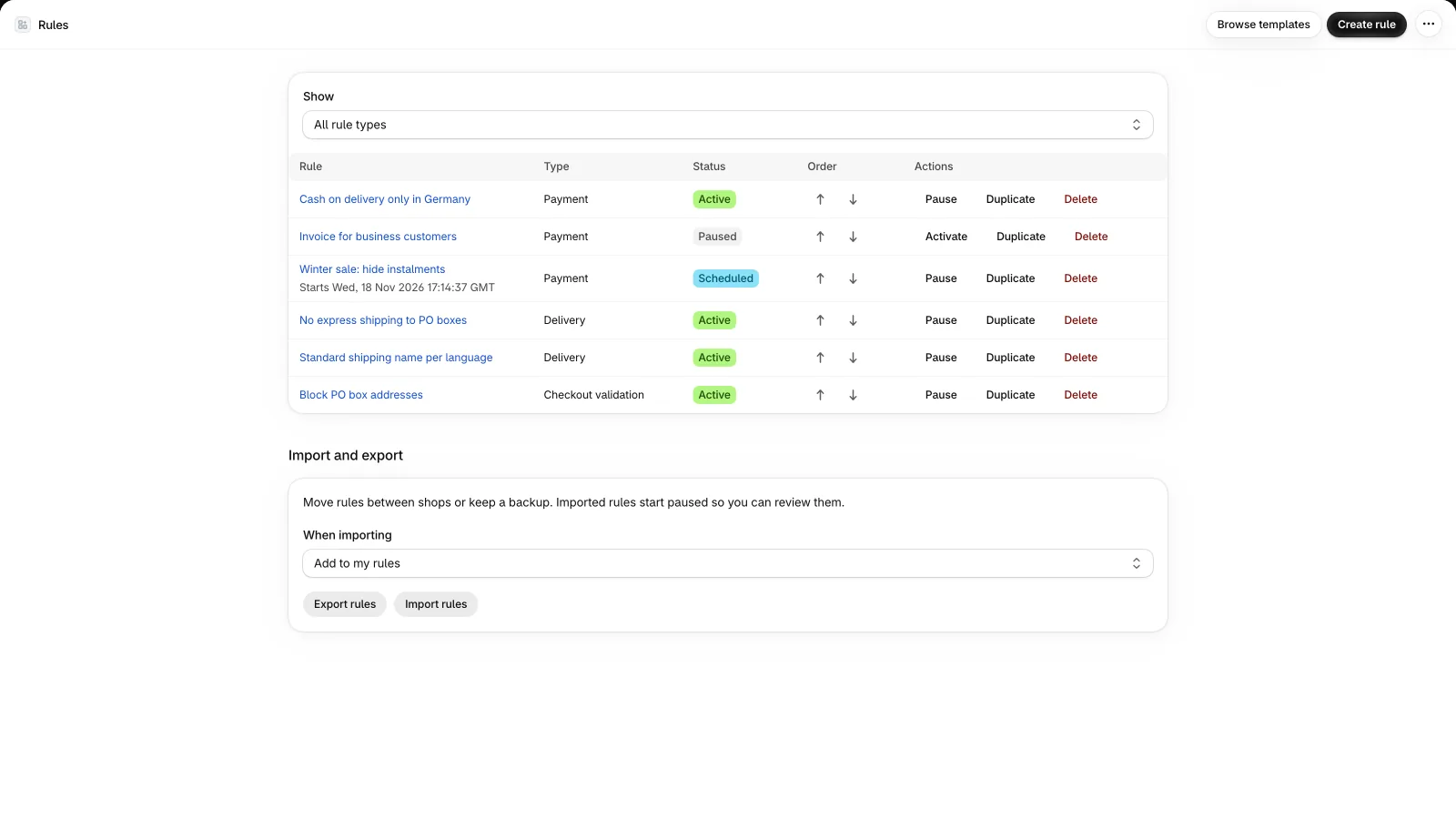
Rules lists every rule with its type, status and order. Filter by type with Show. A rule is Active, Paused, Scheduled, Publishing (being sent to checkout) or Not applied (it cannot run, the reason is shown).
Payment rules
| Action | What it does |
|---|---|
| Hide | Hides the payment methods you list. Where: Everywhere in checkout, or Only the express checkout buttons (Shopify Plus) |
| Rename | Shows a method under a new name, per language |
| Move to | Moves methods to the Top of the list or the Bottom of the list |
Wallets such as Shop Pay, Apple Pay and Google Pay cannot be renamed or sorted. You can hide a wallet completely.
Delivery rules
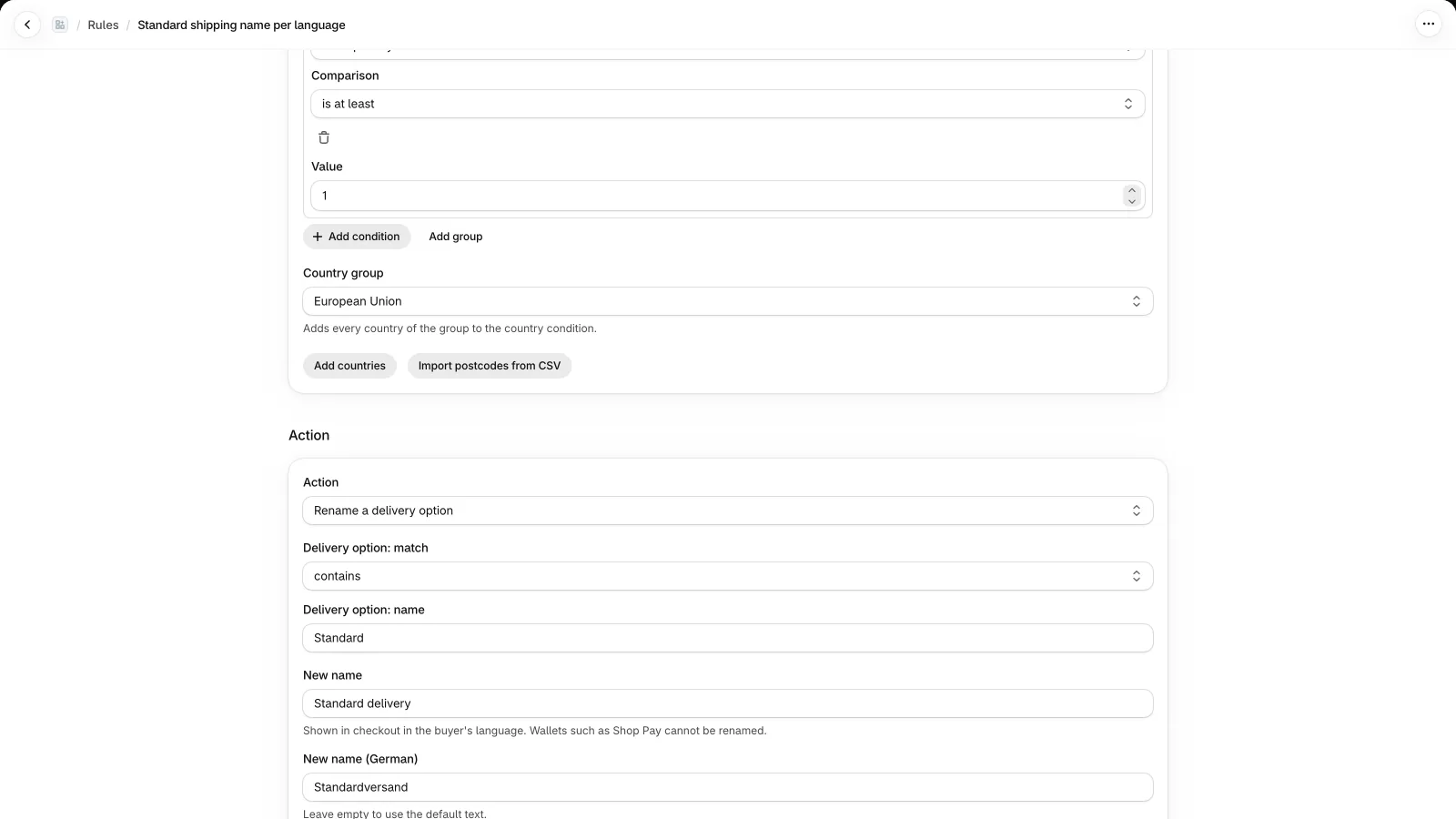
Hide, rename or move delivery options, for example no express shipping to PO boxes or for carts above 20 kg. When you sort delivery options, the cheapest option stays first, as Shopify requires.
Validation rules
A validation rule stops checkout and shows your Message shown to the buyer, for example "We cannot deliver to PO boxes. Please enter a street address." Choose where the message appears: on the whole checkout, at the address line or at the postcode. Validation is on the Pro plan.
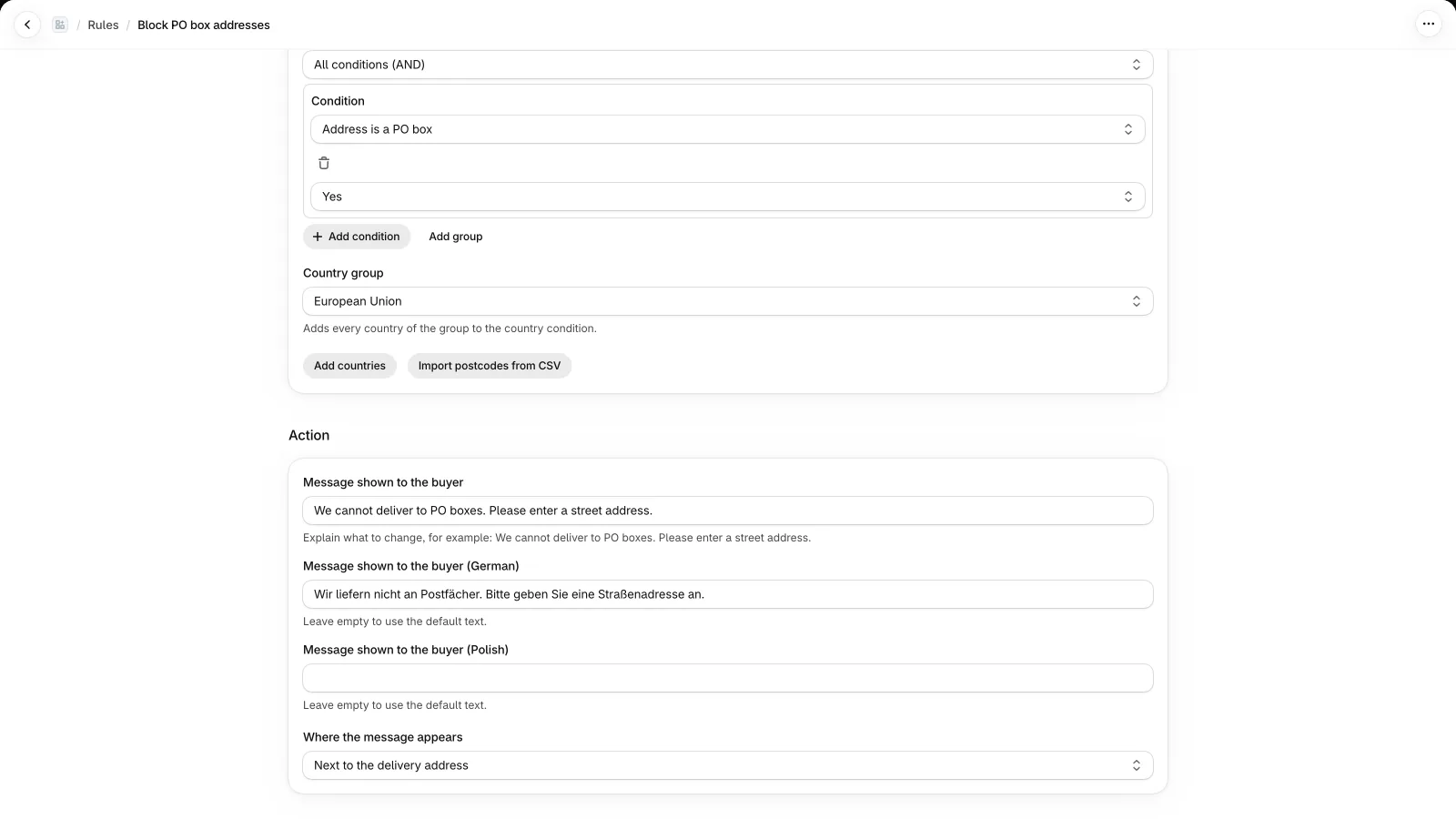
Matching methods by name
Methods are matched by the name checkout shows, without regard to case: equals, contains or starts with. Delivery option names come from your shipping settings or carrier.
Schedule and priority
- Starts (UTC) and Ends (UTC): let a rule run between two dates (Starter plan). Leave Starts empty to start now and Ends empty to run without end.
- Priority: lower numbers run first. When two rules rename the same method, the rule with the lower number wins. You can also reorder rules on the Rules screen.
- Active: paused rules are kept but do not run in checkout.
Built to keep checkout working
- The last payment method and the last delivery option are never hidden. If your rules would hide everything, checkout keeps all methods and the preview warns you.
- A rule that cannot be read changes nothing.
Updated 2026-11-23